What to Do If the Fee Option Does Not Appear on the Pak ID App? NADRA Provides a Simple Solution
Islamabad (Qudrat Daily) – NADRA has provided a simple solution to citizens regarding the fee payment option not appearing on the Pak ID app.
Important explanatory guidance has been issued for users of NADRA’s Pak ID mobile app, which is used for the preparation of national identity cards and other documents.


NADRA says that if the status of your application in the mobile app shows “Ready for Approval” and the fee payment option is not visible, there is no need to worry.
The fee payment option only appears after the initial approval of the application, and this process and the appearance of the fee option can generally take up to a maximum of 48 hours.
What to Do If More Than 48 Hours Have Passed?
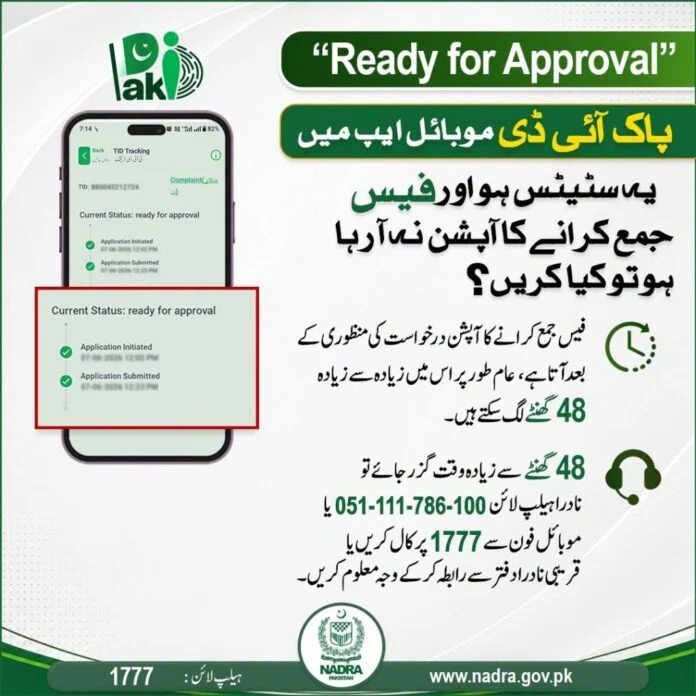
NADRA officials say that if more than 48 hours have passed and the fee payment option does not appear, citizens can contact the following sources to find out the reason for the delay:
NADRA Help Line (PTCL): 051-111-786-100
Mobile Phone Help Line: 1777
Nearest NADRA Office: Or visit your nearest NADRA center/office.